Proxies for Facebook ads and Pages: a setup guide for teams
Which proxy type suits Facebook Pages and ad accounts, how to give each person one stable IP in the right country, and why no proxy fixes a policy problem.
ZenProxy team · 8 November 2026 · 10 min read
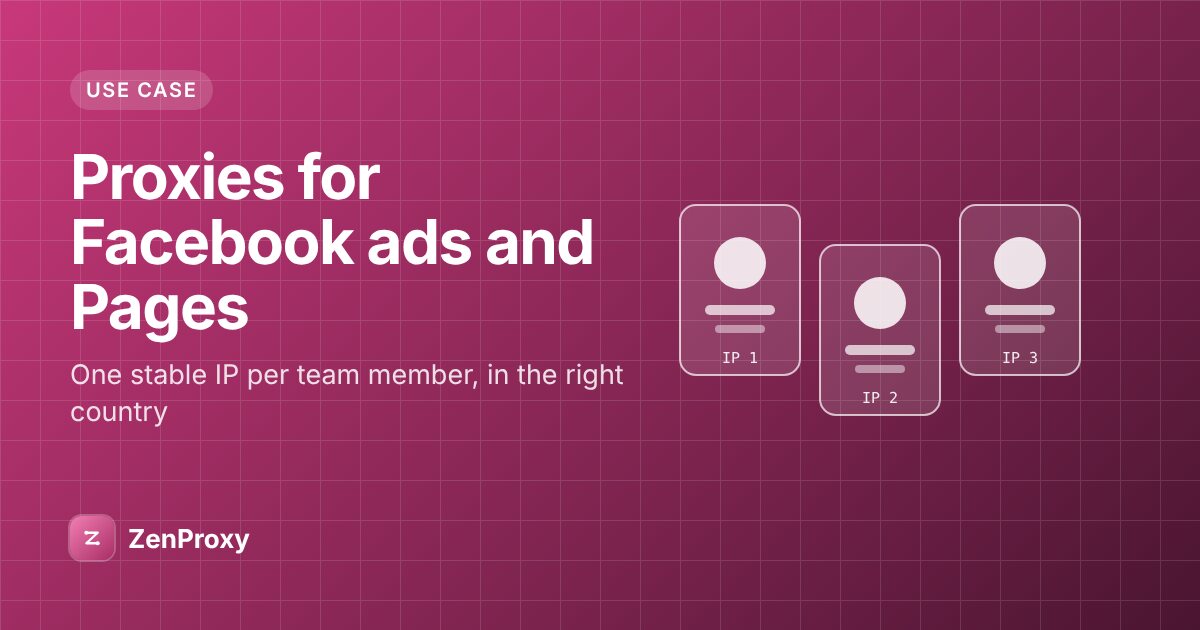
In short: Give each person who manages your Facebook Pages and ad accounts one stable IP in the country where they work, and keep it: a static ISP IP for a browser profile used for months, or a mobile IP for work in Meta's phone apps. Rotating residential and datacenter IPs are a poor fit for logins, because addresses that keep changing, or that belong to hosting companies, tend to draw more security checks. Set up team access through Meta's own business tools first, so nobody shares a password. A proxy doesn't fix policy violations or restricted ads, and you should never use one to get around a ban or restriction.
Why one stable IP matters
Large platforms protect accounts by noticing sign-ins that look unfamiliar. A login from the same browser, network and country as last week looks like the usual user. A login from a new country, network and browser all at once could be someone else, so it is more likely to meet a security check: a code sent to the owner, a confirmation from another device, or a temporary lock. X, for example, says it alerts you when it detects a suspicious login or when you log in from a new device for the first time.
That is good security, until your own team keeps setting it off. When people sign in from home broadband one day, phone data the next and hotel Wi-Fi on a trip, their accounts see a stream of unfamiliar sign-ins. Across a dozen clients, someone gets locked out mid-campaign.
The fix has two parts:
- No logins into other people's accounts. Give people access through Meta's business tools, so each person signs in as themselves.
- Consistent logins for everyone. Each person gets one browser profile and one IP in the country where they work, and keeps them, wherever they happen to be connecting from.
Start with Meta's own access tools
First, check whether anyone needs another person's password at all. Meta's business tools are designed to let a business add team members and partner agencies and give each of them access to specific Pages and ad accounts, with the permissions their job needs. You may know them as Business Manager or Meta Business Suite. Names and menus change, so follow the current steps in Meta's business help pages.
For an agency, that means:
- The client keeps ownership of its Page, ad account and payment method, and grants your agency or staff access.
- Each person on your team signs in to their own Facebook account and works on client assets through that access.
- When someone leaves, you remove their access. Nobody changes a client's password or moves a two-factor phone number.
If anyone on your team still signs in to a client's own Facebook account, move that work to business access. Each security check then reaches the person whose login it is. Those logins still need to stay consistent, especially when people work remotely or travel.
Which proxy type fits Facebook work
| Proxy type | How the IP behaves | For logins | Best use |
|---|---|---|---|
| Private ISP | Static, dedicated to you, kept while you renew | Best fit | One browser profile per person, for months |
| Shared ISP | Static for the plan; other customers may use the same IPs | Budget option | Where a shared IP is acceptable |
| Mobile | Carrier IPs, held for a session | Good fit | Meta's phone apps, one session per phone |
| Residential, sticky | The same IP for a while, then a new one | Workable | Countries where you can't get an ISP IP |
| Residential, rotating | A new IP on each new connection | Poor fit | Viewing public pages from a country, no login |
| Datacenter | Registered to hosting companies | Often challenged | Not for logins |
Static ISP for a long-lived browser profile
ISP proxies are static IPs registered to internet providers, not hosting companies. They run from data centres, so they are quick and steady, and the address doesn't change during the plan.
- Private ISP IPs are dedicated: nobody else uses them. Renew before the plan ends to keep the same IPs. It works over HTTP(S) only, not SOCKS5, so choose HTTP in your browser profile.
- Shared ISP is the budget option. The IP list stays fixed for the plan, but other customers can use the same IPs, so prefer Private ISP for client work.
On 8 November 2026, Private ISP costs $2.75 per IP for 30 days on orders of 1 to 19 IPs, $2.50 for 20 to 49 and $2.00 for 50 or more. Shared ISP starts at $0.72 per IP per month. Current prices are on the plans page, and locations on each product page.
Mobile for app-based work
If your team works in Meta's apps on phones, use a mobile proxy, which gives you IPs from mobile carriers' networks. Carriers put many phones behind one IP, and phones on mobile data change IP often anyway, so a new IP each session is normal. Keep the country, and the carrier if you like, the same each time. Both go in the username, for example USERNAME-country-us-asn-21928 for T-Mobile in the US. Use a sticky session rather than a rotating one, so the app keeps one IP while you work.
On an iPhone or iPad, set the proxy with a username and password under Settings → Wi-Fi → (i) → Configure Proxy → Manual; our iPhone and iPad guide has the steps. It covers that Wi-Fi network only, and some apps bypass the system proxy, so check the IP in Safari first. Android's Wi-Fi proxy setting has no password field, so you need a proxy app that supports username and password; see the Android guide.
On 8 November 2026, Mobile costs $4.49 for 1 GB, falling to $2.56 per GB at volume.
Why rotating residential is a poor fit
A rotating line gives a new IP for each new connection. A browser opens many connections per page, so one page load can come from several IPs: the quickest way to get logged out or sent to a security check. More detail is in rotating vs sticky proxies.
Sticky residential sessions are better: each keeps its IP for a while, unless the home device behind it goes offline first. Use them where you can't get an ISP IP in the country you need. On Residential Premium (1 GB costs $3.49 on 8 November 2026) you can request the country and the ISP's network number (ASN), such as USERNAME-country-gb-asn-2856 for BT in the UK, so each session asks for the same country and provider. Check the exit's network with What is my IP before you sign in.
Why datacenter IPs are often challenged
Datacenter IPs belong to hosting companies. People don't usually browse Facebook from a server, so social platforms tend to challenge or block those ranges. Keep datacenter proxies for public-data work.
One IP and one browser profile per person
Multi-profile browsers keep each profile's cookies, settings and proxy separate, so one person's sessions never mix with another's. The rules:
- One profile per person, used only by that person.
- One IP per profile, not shared. A shared IP carries a shared reputation: if one user's activity gets the address flagged, everyone on it feels the effect. Give each profile its own static ISP IP, or its own sticky session.
- Keep the pair for the profile's life. Every IP change is a sign-in from somewhere new.
- Write it down. Keep a sheet mapping each profile to its owner, IP and country.
An example sheet for a small agency:
| Profile | Used by | Signs in as | Works on | IP | Country |
|---|---|---|---|---|---|
| uk-01 | Community manager | Their own account | Client A and B Pages | Private ISP IP 1 | United Kingdom |
| uk-02 | Paid media lead | Their own account | Client A and C ad accounts | Private ISP IP 2 | United Kingdom |
| us-01 | Freelance designer based in the US | Their own account | Client B Page | Private ISP IP 3 | United States |
Set it up
- Copy each line from the proxy generator in
HOST:PORT:USERNAME:PASSWORDformat. - Check every line with the script below before you assign it.
- Create a browser profile and open its proxy settings. Choose HTTP, or SOCKS5 where your product supports it (every ZenProxy product except Private ISP), and enter the host, port, username and password.
- Run the browser's proxy check, save and open the profile.
- Sign in, complete any security check, and turn on two-factor authentication.
Follow the step-by-step guide for AdsPower, Multilogin, GoLogin or Dolphin Anty.
This script prints the exit IP, country and network of each line. Run pip install requests, put one line per row in proxies.txt, then run python check_proxies.py proxies.txt.
import sys
from urllib.parse import quote

import requests


def exit_info(line: str) -> dict:
    host, port, user, password = line.split(":", 3)
    proxy = f"http://{quote(user, safe='')}:{quote(password, safe='')}@{host}:{port}"
    resp = requests.get(
        "https://ipinfo.io/json",
        proxies={"http": proxy, "https": proxy},
        timeout=20,
    )
    resp.raise_for_status()
    return resp.json()


with open(sys.argv[1], encoding="utf-8") as f:
    rows = [row.strip() for row in f if row.strip()]

for n, line in enumerate(rows, start=1):
    try:
        info = exit_info(line)
        print(n, info.get("ip"), info.get("country"), info.get("org"), sep="\t")
    except (ValueError, requests.RequestException) as exc:
        print(n, "failed:", exc, sep="\t")
Compare each country with your sheet.
Match the IP's country to the person
Use the country where the person signing in lives and works. A London employee gets a UK IP for their own login, even when the client is in the US. The proxy's job is to keep that person's sign-ins steady when they work from home, travel or move between networks, not to place them somewhere else.
Where your ads run is set by campaign targeting, not by your IP. If Private ISP doesn't cover the country you need, use sticky Residential Premium sessions with country and ISP targeting, or Mobile with country and carrier targeting. The IP changes between sessions, but each one asks for the same country and network; check the exit before you sign in.
What proxies won't do
- They don't fix policy problems. If ads are rejected or an ad account, Page or profile is restricted, a new IP doesn't change the reason. Read the reason Meta gives, fix it, and use Meta's own review options.
- They don't lift a ban. Don't use a proxy, a new browser profile or a new account to get around a ban or restriction, and don't let a client talk you into it. This guide is for managing accounts you are authorised to work on. Don't use proxies for spam or fake engagement either.
- They don't replace account security. Two-factor authentication, unique passwords and removing leavers' access still do that job.
- They don't stop every check. New devices and new people still get checked sometimes. Complete the check yourself, or with the account owner.
For running accounts across several platforms, see social media management.
Questions people ask
What is the best proxy for Facebook?
For a browser profile you use every day, a dedicated static ISP IP in the country where you work, such as Private ISP. For Meta's phone apps, a sticky mobile session in the same country. Avoid rotating residential and datacenter IPs for logins.
Can my whole team share one proxy?
Not for different people's logins. Give each person their own Facebook account, business access, profile and IP. A shared IP carries a shared reputation, and a shared profile is just a shared password.
Do I need a proxy if everyone works from one office?
Maybe not. If your team uses one office connection and Meta's business access instead of shared logins, your office IP is already stable. Proxies help when people work remotely or travel.
Will a proxy get a restricted ad account back?
No. A restriction is about the account, its ads or its payments, and a new IP changes none of those. Fix the cause and request a review through Meta. Don't try to get around a restriction with a proxy or a new account.
Are free proxies or VPNs OK for Facebook?
Free public proxies are shared with strangers, often run from hosting companies, and can vanish at any time. A VPN usually puts many users on one server IP and may switch servers when you reconnect. A dedicated static ISP IP stays yours.