How to check Google rankings by country and city
Google results change with location, language and device. How to see what local searchers see, which proxies to use, and where Google's rules draw the line.
ZenProxy team · 8 November 2026 · 9 min read
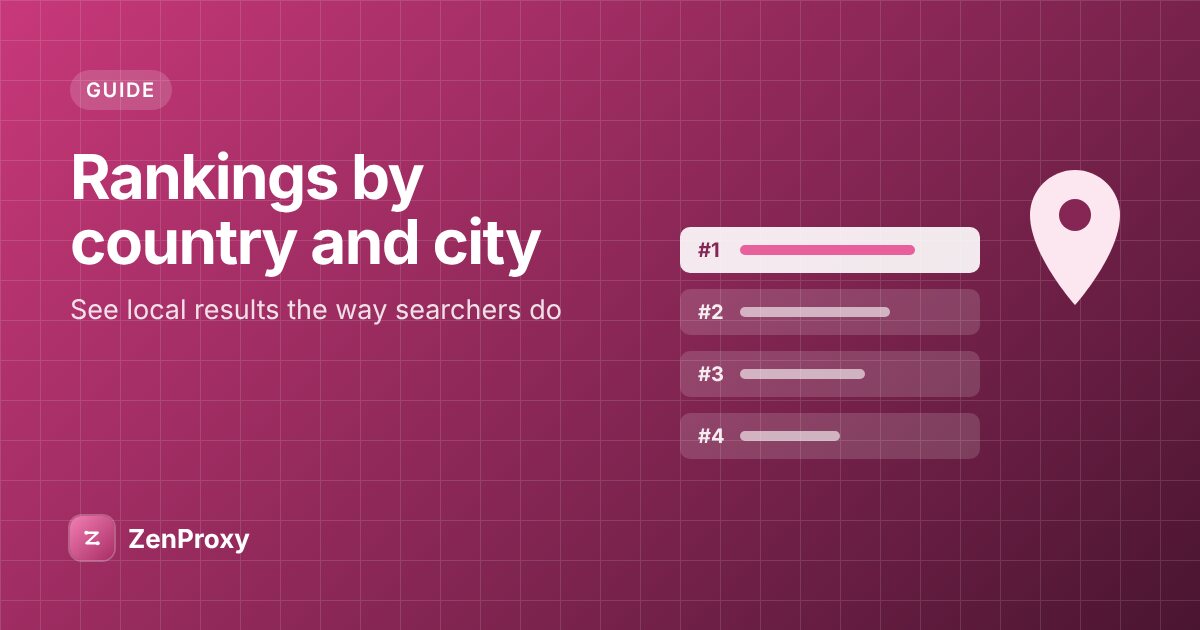
In short: Google tailors results to the searcher's location, language and device. For a signed-out searcher in a fresh browser with device location off, the main location signal left is the IP address. To see what someone in Germany sees, search by hand from a German residential IP and add gl=de (country) and hl=de (interface language) to the search URL. Google's policies forbid automated queries without its express permission, so get your own positions from Search Console, and use a commercial rank tracker or an API Google permits when you need scale.
Why the same search gives different results
Google says it uses "information such as your location, past Search history, and Search settings" to decide which results are most relevant. Its own example: someone searching "football" in Chicago will likely see American football and the Chicago Bears, while in London the same search might turn up soccer and the Premier League.
- Location. The country first, then the city or area for anything local. Google notes that a search for coffee shops shows nearby ones, even though the query names no place.
- Language. A search in French returns mostly French-language results, and the interface language changes the labels and features around them.
- Device. Phones and desktops get different layouts, and Search Console reports your positions separately for each device type.
A proxy changes only one of Google's location signals. Google lists four sources: your device location, a home or work address saved in your Google Account, your previous activity on Google sites and apps, and the IP address of your connection. It says "IP addresses are roughly based on geography", and that it always estimates the general area you're searching from: an area "larger than 3 sq km" with "at least 1000 users". So a city-targeted IP shows you what a signed-out searcher in that area sees, not what one person with device location on sees from a particular street.
What sets the results you get
| Signal | What it does | How to set it |
|---|---|---|
| IP address | Google's estimate of the searcher's general area | The proxy's exit country, and city where your plan supports it |
gl |
A two-letter country code; Google says it "boosts search results whose country of origin matches the parameter value" | Add gl=de to the search URL |
hl |
Sets the interface language | Add hl=de to the search URL |
| Device | Layout, features and positions | A desktop or a mobile browser |
| Account and history | Personalisation | Search signed out, in a private window |
Google documents gl and hl in its Custom Search JSON API reference, and ordinary google.com search URLs use the same names. Keep the signals consistent: a German IP with gl=de and hl=de comes closest to what a German searcher sees, while a US IP with gl=de is a mix few real searchers produce.
Google's own tools
Search Console for your own site
For your own site, Search Console is the source to trust. Its Performance report shows clicks, impressions, CTR and average position, grouped by query, page, country, device, search appearance or date. In the chart, average position is "the average position of the topmost result from your entire site". The Search Console API (searchanalytics.query) returns the same metrics, up to 25,000 rows per request, so you can automate reporting within Google's rules.
Its limits: it covers only sites you have verified, reports by country rather than city, and gives averages across real impressions, not a snapshot of one results page.
The Custom Search JSON API is closed to new customers
Google's developer page says the Custom Search JSON API "is closed to new customers", and that existing customers have until 1 January 2027 to move to an alternative. Its pricing (100 queries a day free, then $5 per 1,000 queries, up to 10,000 a day) applies only to existing customers. Google points to Vertex AI Search for searching up to 50 domains, and asks anyone who needs full web search to contact it. For a new project, it isn't an option.
Check one location by hand
A person searching through a proxy is an ordinary visitor. To see a local results page:
- Choose a residential plan that targets the country you're checking, and the city where the plan allows it. If your line offers a sticky session, use it: a browser opens many connections per page, and a sticky session keeps them on one IP.
- Put the line in a separate browser profile, away from your own cookies and sign-in. Our Chrome guide covers setting a proxy in Chrome.
- Open What is my IP and check that the country and city match.
- Signed out, search with matching parameters, for example
https://www.google.com/search?q=laufschuhe&gl=de&hl=de. - Note the time, location, language and device next to what you see, so later checks compare like with like.
Which proxy type to use
For a local check you want a residential IP in the market you're looking at: an address on a home connection there is the nearest match to a local searcher's.
| Product | Targeting | Fit for local checks |
|---|---|---|
| Residential Premium | Country, region, city, ISP (ASN) | City-level checks, with region and ISP if you need them |
| Residential Lite | Country (200+); state and city in the US, province in Canada | Lower price per GB; cities in the US only |
| Mobile | Country and carrier (ASN) | Carrier IPs, but no city targeting |
| Rotating Datacenter | A US or Europe endpoint | Not suited: no country choice, so no local view |
Datacenter IPs are registered to hosting companies, which anyone can look up, and few real searchers use one. Residential IPs belong to home connections, so a residential exit in the right place gives you the closer view. The locations pages list the countries we cover.
Google's rules
- Google's robots.txt disallows
/searchfor all crawlers. - Google's Terms of Service forbid "using automated means to access content from any of our services in violation of the machine-readable instructions on our web pages", with robots.txt as the example.
- Google's spam policies class sending automated queries to Google as machine-generated traffic, including "scraping results for rank-checking purposes", when it is "conducted without express permission".
- Its unusual-traffic help page lists "software that sends searches to Google to find how a website or web page ranks on Google" as automated traffic.
A proxy doesn't change any of this. If a manual check meets a CAPTCHA or a 429, stop and find out why: coming back from a fresh IP to carry on is working around the block.
Your positions by country and device, in Python
This script asks the Search Console API for the last 28 days, grouped by query, country and device, and prints the average position for each query and country. It reads only data Google already holds for your property. Setup takes three steps:
- In the Google Cloud console, enable the Google Search Console API, then create an OAuth client of type Desktop app and download it as
client_secret.json. - Run
pip install google-api-python-client google-auth-oauthlib. - Set
SITEto your property, then run the script and sign in with a Google account that can see that property.
from collections import defaultdict
from datetime import date, timedelta

from google_auth_oauthlib.flow import InstalledAppFlow
from googleapiclient.discovery import build

SITE = "sc-domain:example.com"  # or "https://www.example.com/" for a URL-prefix property
SCOPES = ["https://www.googleapis.com/auth/webmasters.readonly"]

# Opens a browser: sign in with a Google account that has access to the property.
flow = InstalledAppFlow.from_client_secrets_file("client_secret.json", SCOPES)
credentials = flow.run_local_server(port=0)
service = build("searchconsole", "v1", credentials=credentials)

end = date.today() - timedelta(days=1)
start = end - timedelta(days=27)  # the last 28 days
body = {
    "startDate": start.isoformat(),
    "endDate": end.isoformat(),
    "dimensions": ["query", "country", "device"],
    "rowLimit": 5000,
}
response = service.searchanalytics().query(siteUrl=SITE, body=body).execute()

# Group the rows by query and country, keeping each device's figures.
groups = defaultdict(dict)
for row in response.get("rows", []):
    query, country, device = row["keys"]
    groups[(query, country)][device] = (row["position"], row["impressions"])

for (query, country), devices in sorted(groups.items()):
    impressions = sum(imp for _, imp in devices.values())
    # Average position across devices, weighted by impressions.
    position = sum(pos * imp for pos, imp in devices.values()) / impressions
    detail = ", ".join(f"{d.lower()} {pos:.1f}" for d, (pos, _) in sorted(devices.items()))
    print(f"{query} | {country} | {position:.1f} ({detail}) | {impressions:.0f} impressions")
How it works:
- Each row's
keyscome back in the order ofdimensions. Countries are three-letter codes, such asindfor India in Google's examples. - Without
dataState, the API returns finalised data only, so the most recent days may be missing. Dates are in Pacific Time. rowLimitgoes up to 25,000. For bigger sites, page through withstartRow; Google notes the API doesn't guarantee to return all rows, only the top ones.
Reading results responsibly
- Keep the context with every check. Time, IP location,
gl,hland device, and whether the figure came from Search Console, a tracker or a manual check. - Define "position" once. Decide whether ads, map packs and other features count, and apply the same rule every time.
- Keep only what you need. Your URL, its position, competing URLs and page features. Don't store personal details that appear in results, such as names in reviews.
- Compare like with like. Same location, language and device. One check is a snapshot: look at several days before you call a drop.
What to use for what
- Your own site's positions: Search Console and its API. It's free, permitted, and based on real impressions by country and device.
- What a local searcher sees: a manual check through a residential proxy in that country or city, signed out, with
glandhlto match. - Tracking at scale, including competitors: a commercial rank tracker or an API that Google permits, rather than your own scripts against google.com.
Questions people ask
Do I need a dedicated or private proxy for SEO ranking checks?
No. For a manual check, what matters is where the IP is, not whether it's yours alone: a residential line in the city you're checking is enough. Dedicated static IPs suit accounts that need one stable address. For positions at scale, use Search Console or a rank tracker.
Can I check rankings by city?
Yes, within limits. Residential Premium supports city targeting, and Residential Lite targets US cities with their state. Google takes a general area from the IP, so you see what a signed-out searcher there sees, not one person's precise-location results.
Why does my rank checker disagree with Search Console?
Search Console reports an average position across all real impressions, by country and device. A rank checker records one results page from one IP at one moment. For your own site's trend, trust Search Console.
Is it allowed to scrape Google for rankings?
Not without Google's express permission: its spam policies name scraping results for rank-checking, and its robots.txt disallows /search. Search Console and its API are the permitted way to get your own positions. Manual searches through a proxy are ordinary searches.
How much data does a manual check use?
It depends on the page and the browser: a full browser loads images, scripts and fonts as well as the HTML. Measure a few checks before you plan many, then multiply by the checks you need.
Sources
- Google: How Search works, ranking results
- Google Search Help: Understand and manage your location when you search on Google
- Google for Developers: Custom Search JSON API, cse.list (gl and hl parameters)
- Google for Developers: Custom Search JSON API overview
- Search Console Help: Performance report
- Google for Developers: Search Console API, searchanalytics.query
- Google for Developers: Search Console API Python quickstart
- Google for Developers: Search Analytics how-to (query examples)
- Google API Python client: searchconsole v1 searchanalytics reference
- google-auth-oauthlib: InstalledAppFlow
- Google Identity: OAuth 2.0 for desktop apps
- Google Search Central: Spam policies for Google web search
- Google Terms of Service
- Google robots.txt
- Google Search Help: Unusual traffic from your computer network